DutyKit
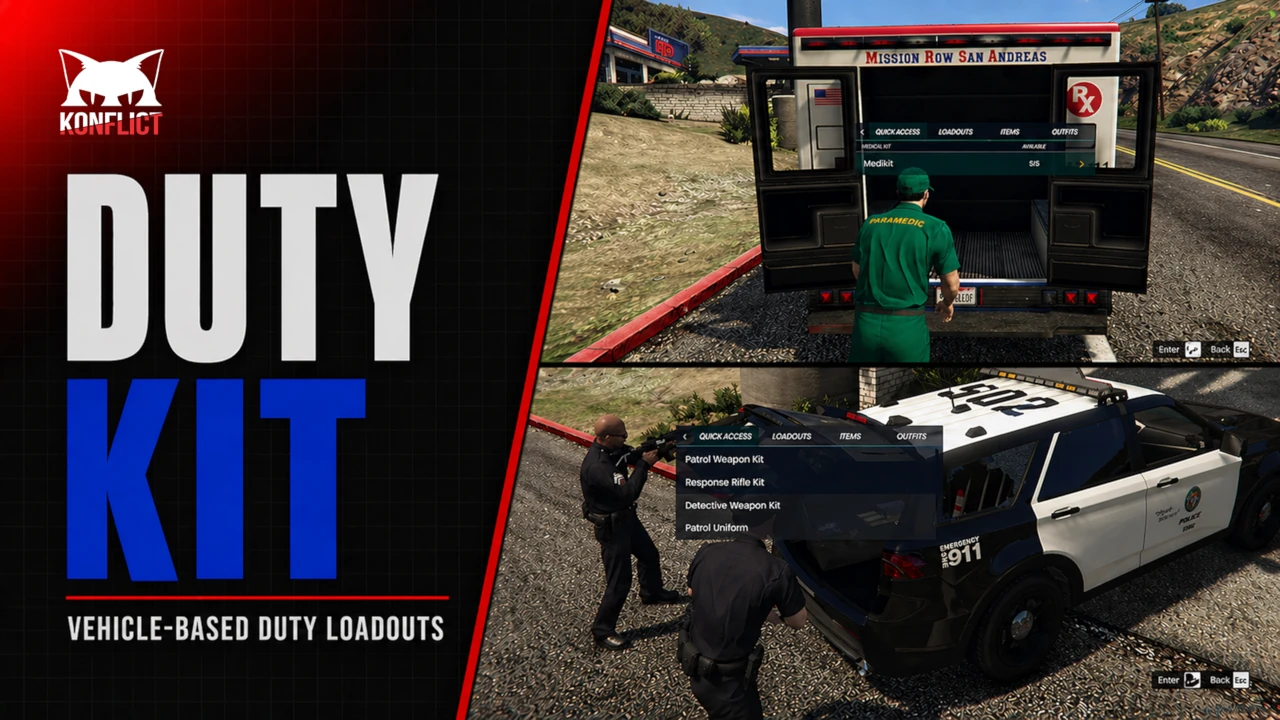
DutyKit is a FiveM resource that turns approved duty vehicles into controlled gear access points for police, EMS, fire, DOT / roadside mechanics, and other job-based fleets.
- Vehicle-based loadouts for items and clothing.
- An in-game editor for building and adjusting kits.
- Refill stations for timed replenishment.
- Job, vehicle, and category rules for controlling who can use each kit.
Why DutyKit Exists
Emergency service players and job workers often end up carrying too many items at all times. Weapons, ammo, armor, medical supplies, tools, specialist equipment, repair equipment, job supplies, and scene outfits can quickly fill a player inventory. DutyKit solves this by moving equipment access into the vehicles that belong to the scene.
Join Our Discord
Join our server for support, update notes, sneak peeks, and earn Konflict Koins through Discord activity.
Dependencies
Install these base resources before script can start.
Supported Integrations
Use at least one supported option from each integration group your setup needs.
Documentation
Check out our docs for feature setup instructions and the full config file.
Included Capabilities
- Fully configurable items, weapons, outfits, kits, limits, and refill points
- Vehicle-based duty gear retrieval
- Quick Access for priority items, kits, and outfits
- Fast menu-driven gear access with quick categories
Built around your own server items and outfits
DutyKit does not force a fixed item pack. Configure your own items, weapons, outfits, kits, limits, jobs, vehicles, categories, and refill stations around the equipment your server already uses.
Turn duty vehicles into mobile gear points
Give police, EMS, fire, DOT, roadside mechanics, support fleets, and custom player jobs controlled access to the equipment they need directly from approved vehicles instead of forcing players to carry everything at all times.
Restock duty supplies without cluttering player inventories
Configure refill points for ammo, medical supplies, repair tools, job equipment, and other server-defined items so players can restock from approved duty vehicles or configured stations.
Shape the menu around your server
Configure categories, labels, icons, and menu structure to make the DutyKit interface easy to understand and consistent with your server style.
Fully keyboard and mouse controlled
Navigate the DutyKit menu entirely with either keyboard or mouse controls, making it fast and easy for players to browse categories, select gear, apply outfits, manage kits, and refill supplies without a clunky workflow.